




Quick links
How to receive a Voice OTP or Flash Call
- By SMSPool Admin
- SMSPool
Why is Voice OTP/Flash Call a helpful feature?
Some websites and services use Voice OTP verification to enhance security and ensure that users are genuine. By requiring a one-time password delivered via an automated phone call, these platforms add an extra layer of trust during registration. Supporting Voice OTP allows you to seamlessly sign up for services that use this verification method, helping you register accounts with confidence.
NOTE: THIS ONLY WORKS ON THE UK MIKE POOL
How do I use the Voice OTP/Flash Call feature?
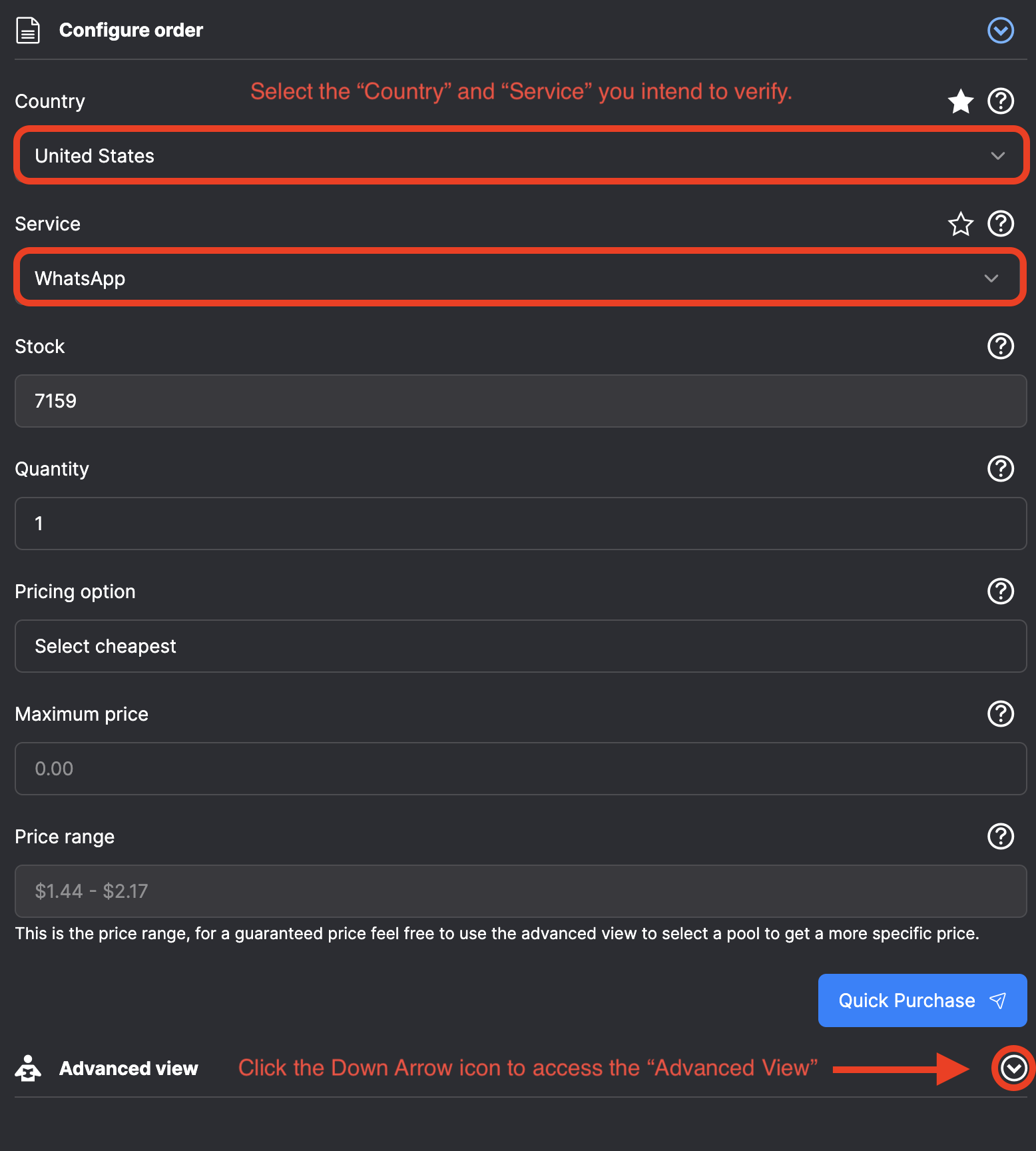
- Navigate to the "Order" page on SMSPool.
- Select the "Country" and "Service" you intend to verify, e.g., if you wish to verify "WhatsApp", select the "WhatsApp" service.
- Scroll down and click the white arrow on the "Advanced View" section.
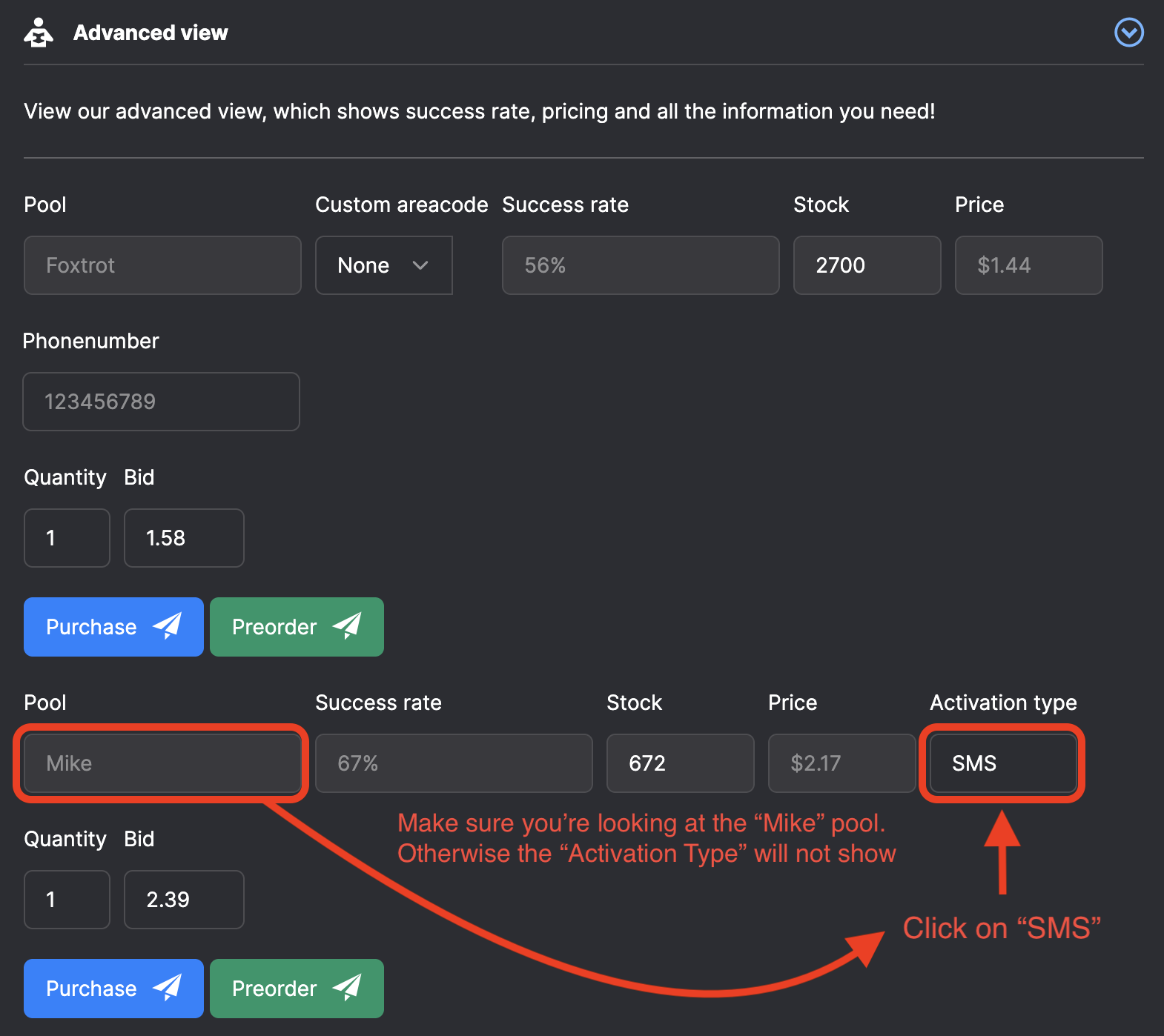
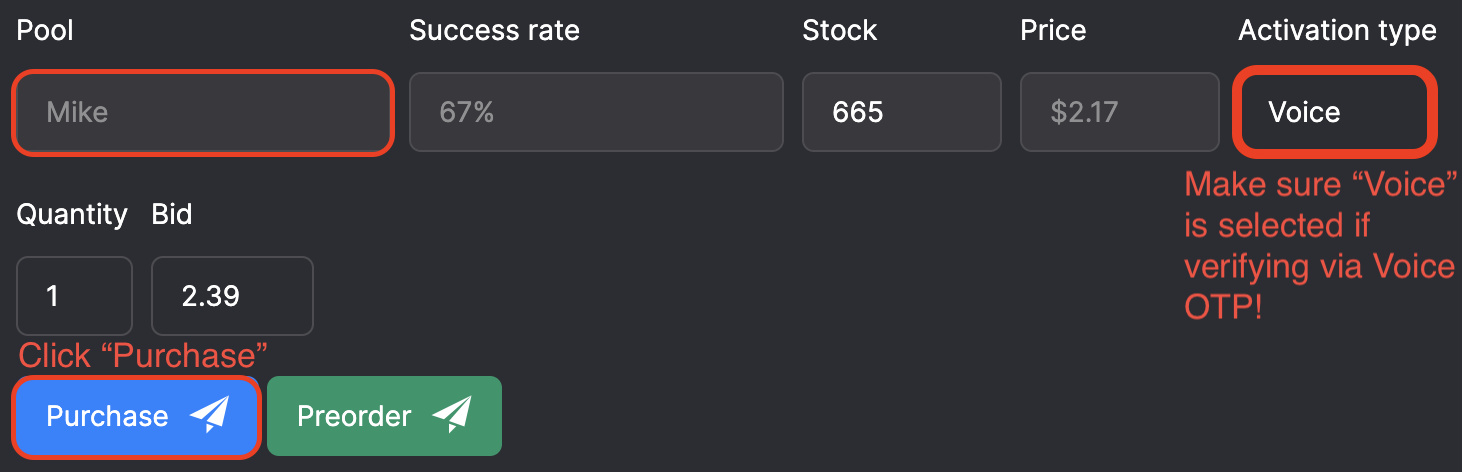
- Scroll down again until you see the "Mike" pool and the "Activation Type" Drop-down menu.
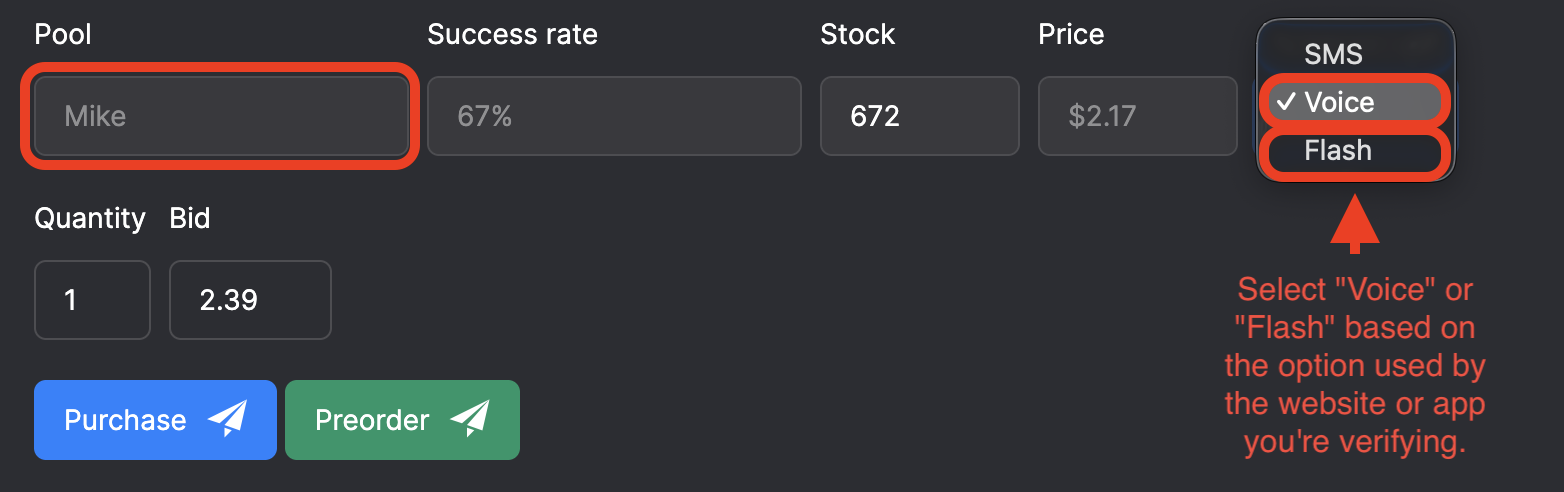
- Select the "Activation Type" drop-down menu and select either Voice or Flash, depending on which feature you need to use.
- Once you have selected "Voice" or "Flash," click the blue "Purchase" button on the "Mike" pool section of the "Advanced View".
- Voila, you have now purchased a phone number that works with the Voice OTP or Flash feature.
- Scroll to the top of the "Order" page, and you should see the phone number.
Important notes:
- Please note that the Voice OTP/Flash Call option works ONLY on the Mike pool; this is why you do not see the Activation Type on other pools.
What is the difference between Voice OTP and Flash Calls?
- Voice OTP sends a one-time password through an automated phone call. Our system detects the call and automatically relays the code to you, so you can complete verification without listening to the full message.
- Flash Calls, is where the service you're attempting to register calls the phone number, and you need to enter the last four digits of the number that called. Our system also detects this incoming call and retrieves those digits for you, speeding up the verification process.
Here is an image based tutorial:
About the author
SMSPool Admin
The owner of SMSPool.net, a site that originally started as a hobby but saw rapid expansion due to the high demand, loves anything technology related and loves writing about technology related articles.
www.smspool.netOther interesting articles
SMSPool Privacy Statement
SMSPool's view regarding privacy and how we deal with it.
- By Admin
- February 5, 2022
How to Pass Bovada SMS Verification
Learn how to pass Bovada phone verification securely. Discover why free VoIP numbers fail and how to get a real USA number to ensure safe, reliable withdrawals.
- By Admin
- April 10, 2026
The Future of Android Sideloading
Sideloading on Android is changing in 2026. Discover how Google's new developer verification rules will impact open-source apps, digital privacy, and your phone
- By Admin
- March 16, 2026
How to get a Snapchat SMS verification
This guide will show you how to sign up to Snapchat without a phone number.
- By Admin
- March 22, 2023
How to Request New Services on SMSPool
Learn how to request a new service on SMSPool
- By Admin
- January 4, 2026
How to get an Airbnb SMS verification
This guide provides a step-by-step tutorial on creating an Airbnb account using our Airbnb SMS verification service.
- By Admin
- May 28, 2023
How to get a Microsoft SMS verification
This guide shows you how to register a Microsoft account with our Microsoft SMS verification service.
- By Admin
- May 27, 2023