




Quick links
How to get a Twilio SMS verification
- By SMSPool Admin
- Guides
Did you know? You don't need to be a developer to use the Twilio platform. yes, you read that right, everyone, not only developers can use Twilio. You may also visually build, amend, and manage communication workflows. Twilio provides a suite of communication APIs (application programming interfaces) that enable developers to programmatically make and receive phone calls, send and receive text messages, and perform other communication functions using its web service interfaces.
Let's create a Twilio account using the guide below. If you have a phone number but are hesitant to share it, SMSPool offers a solution. Getting a Twilio SMS verification without using your personal phone number is easy; verifying your account with SMSPool is just one click away!
Requirements for making a Twilio account without a phone number
- Make sure you have a Wi-Fi or mobile connection with low ping.
- A balance of at least $0.24~0.60 in your SMSPool account.
How to sign up for a Twilio account
Make sure to follow this tutorial for a perfect sign up of your Twilio account;
- Search for "Twilio" in your browser. The logo of the site should look like the one in the screenshot below:

Signing up for a Twilio account
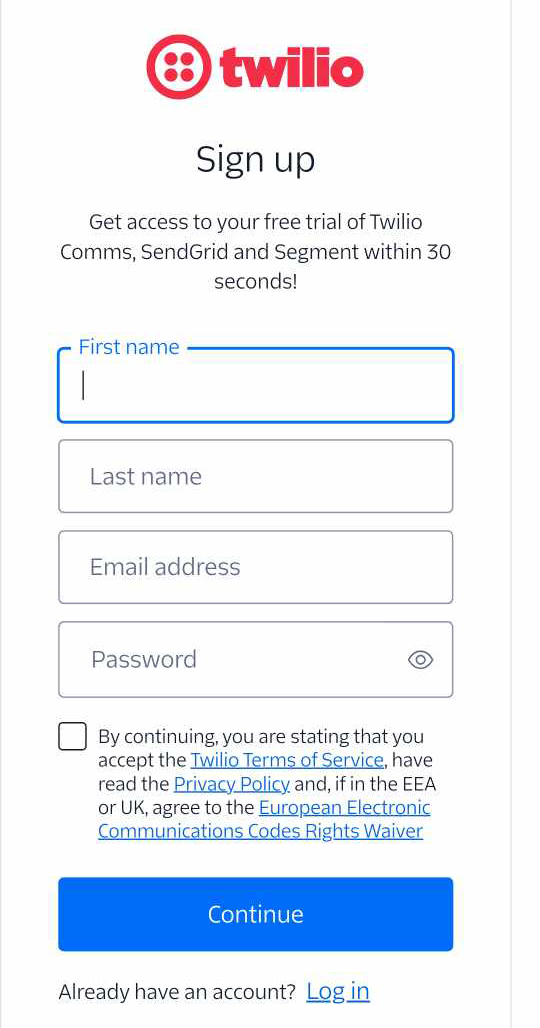
- Once you've searched for the site, click on Start for Free. You will be required to fill in your name, email address, and password.
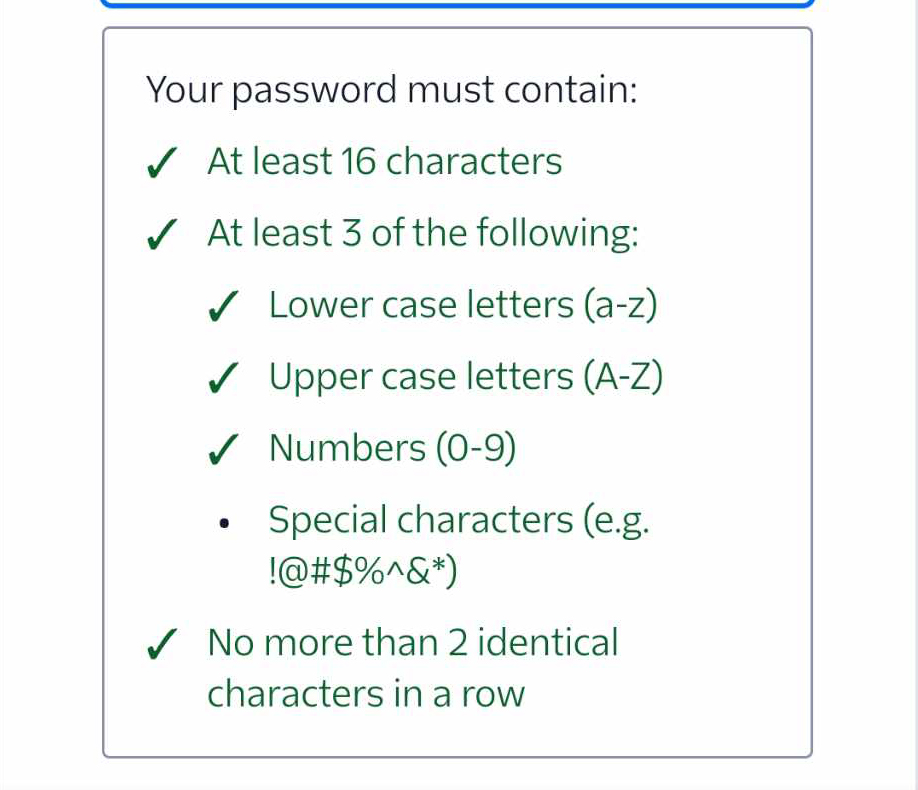
- For the password, it must contain the elements shown in the screenshot below.
Get your email verified.
- Make sure you have typed your email correctly, or else the code will not be sent to your email.
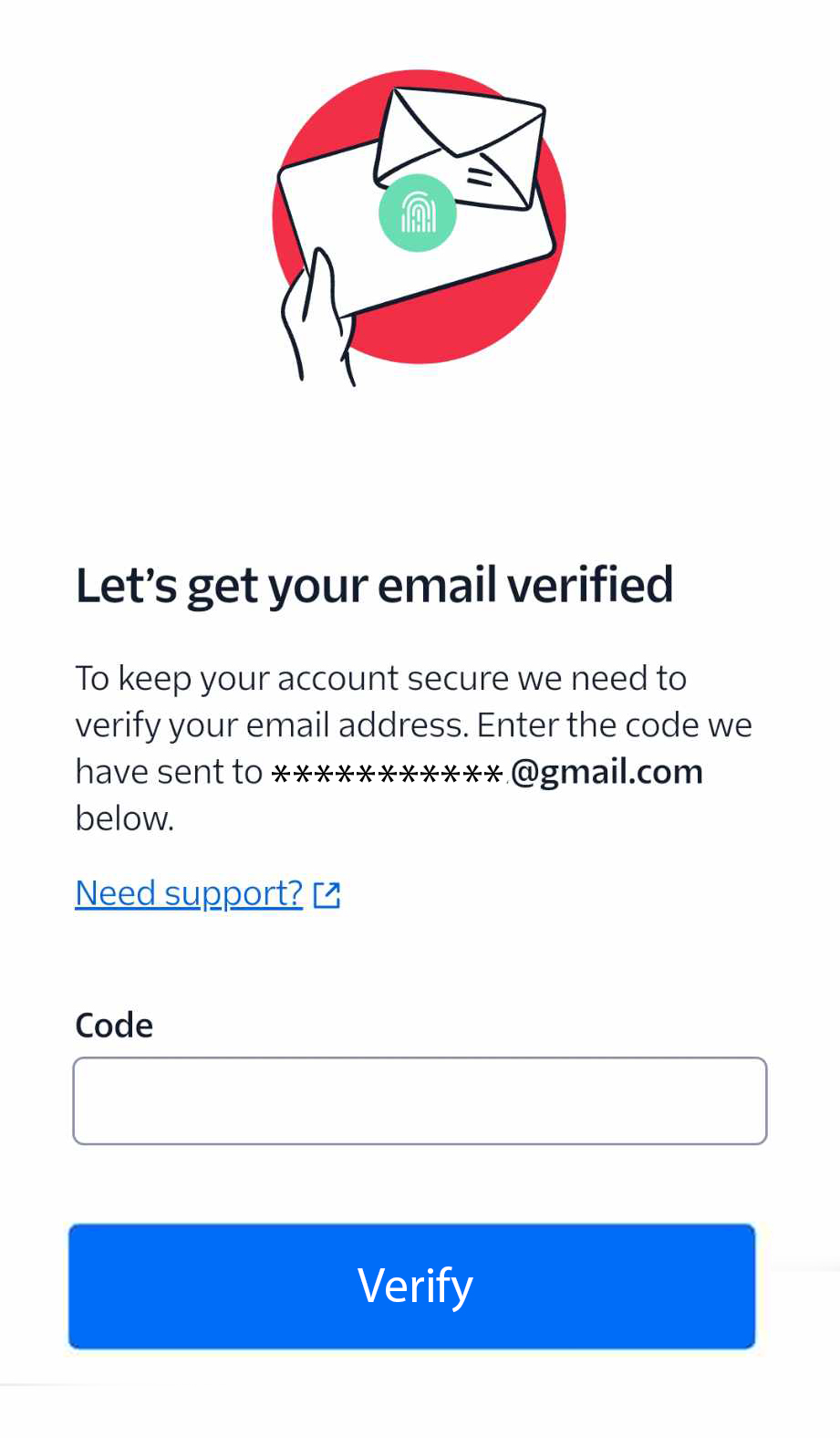
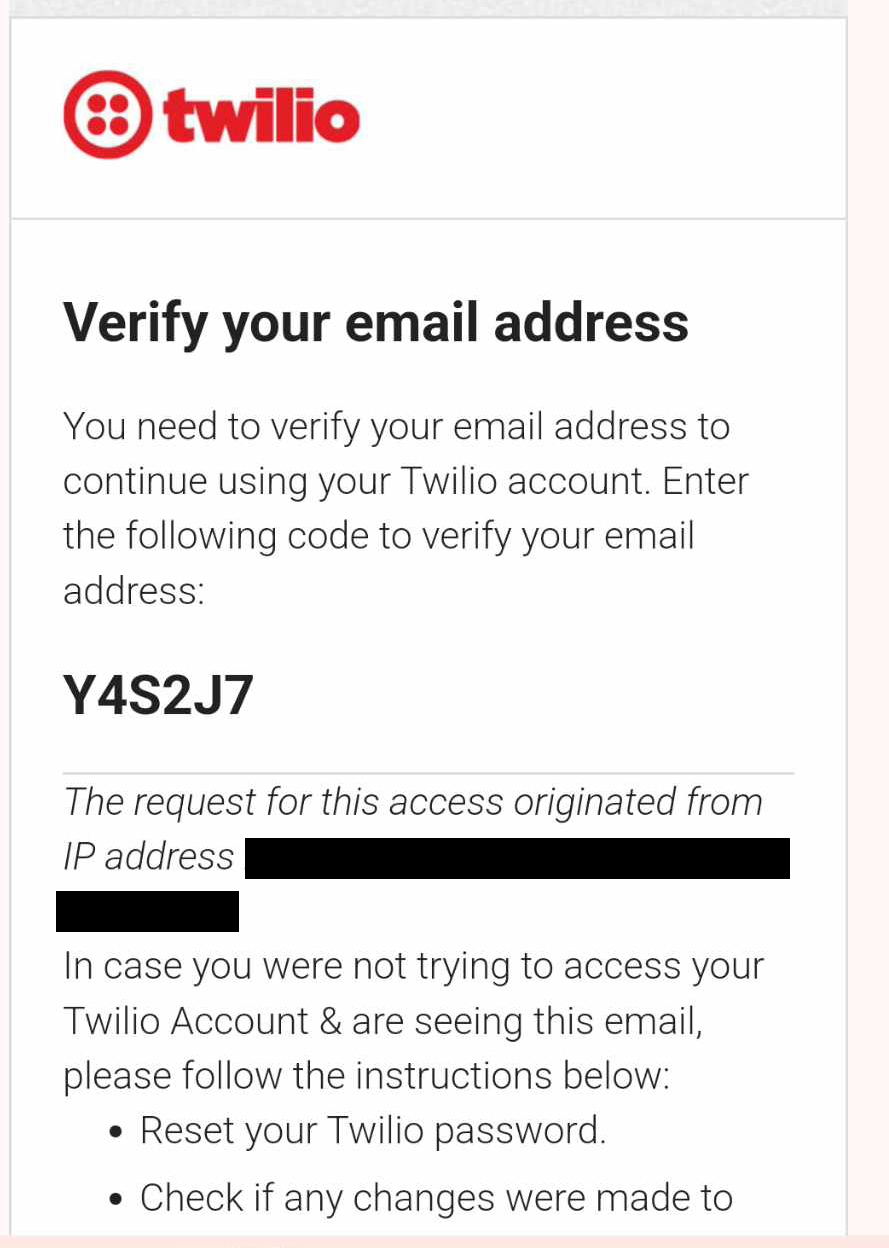
- Please copy the code sent to your email and enter it to verify your email.
- The code used as an example in this tutorial is shown in the screenshot below:
Y4S2J7
How to verify your phone number for Twilio
- Tips and tricks for obtaining a verification code without a phone number involve using SMSPool for verification.
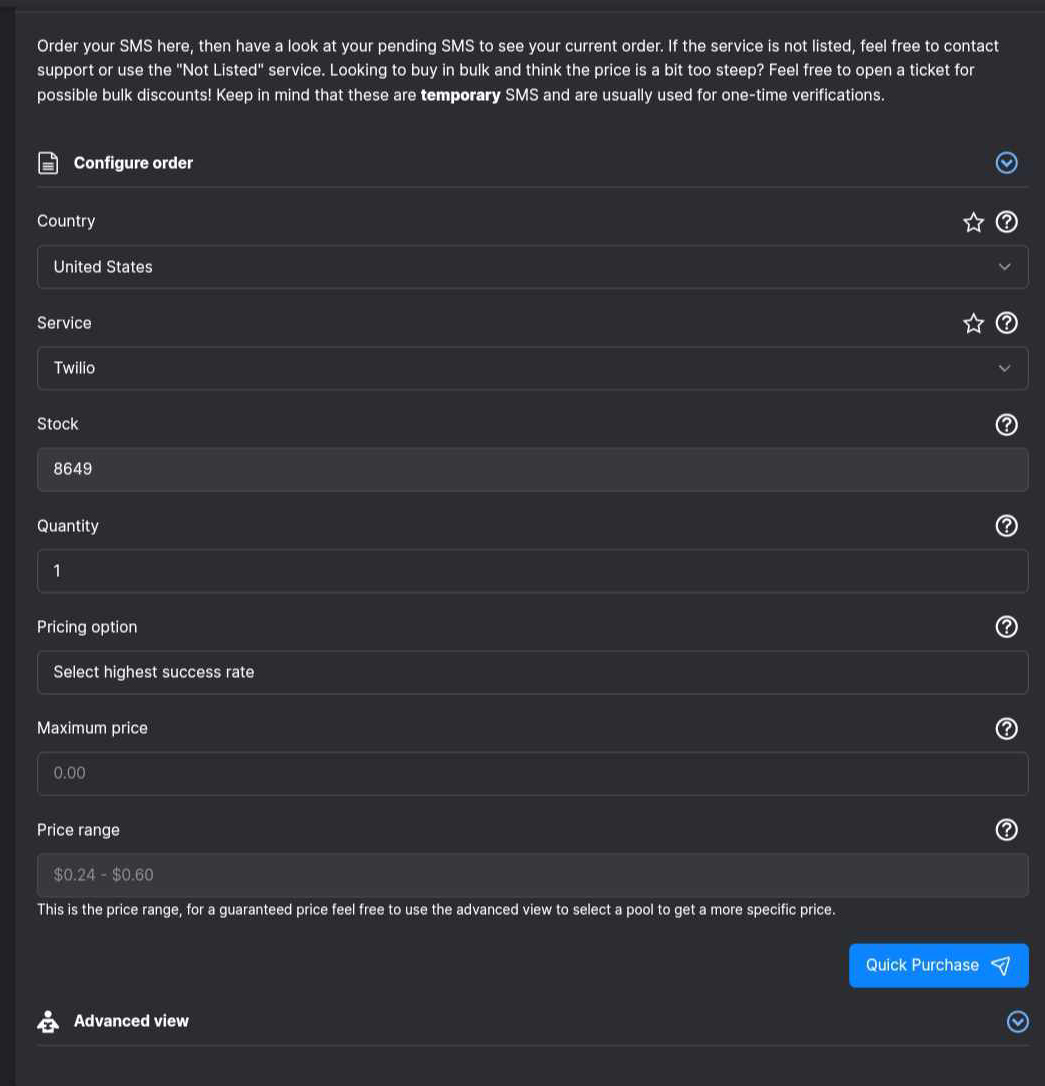
- First, Log in to SMSPool, then head to your SMSPool order page.

- Make sure you select the country where you're in. Select the Twilio service and not any other service, or it will not work.
- So Click Quick Purchase to receive your phone number for Twilio.
How to get the code to verify your Twilio account
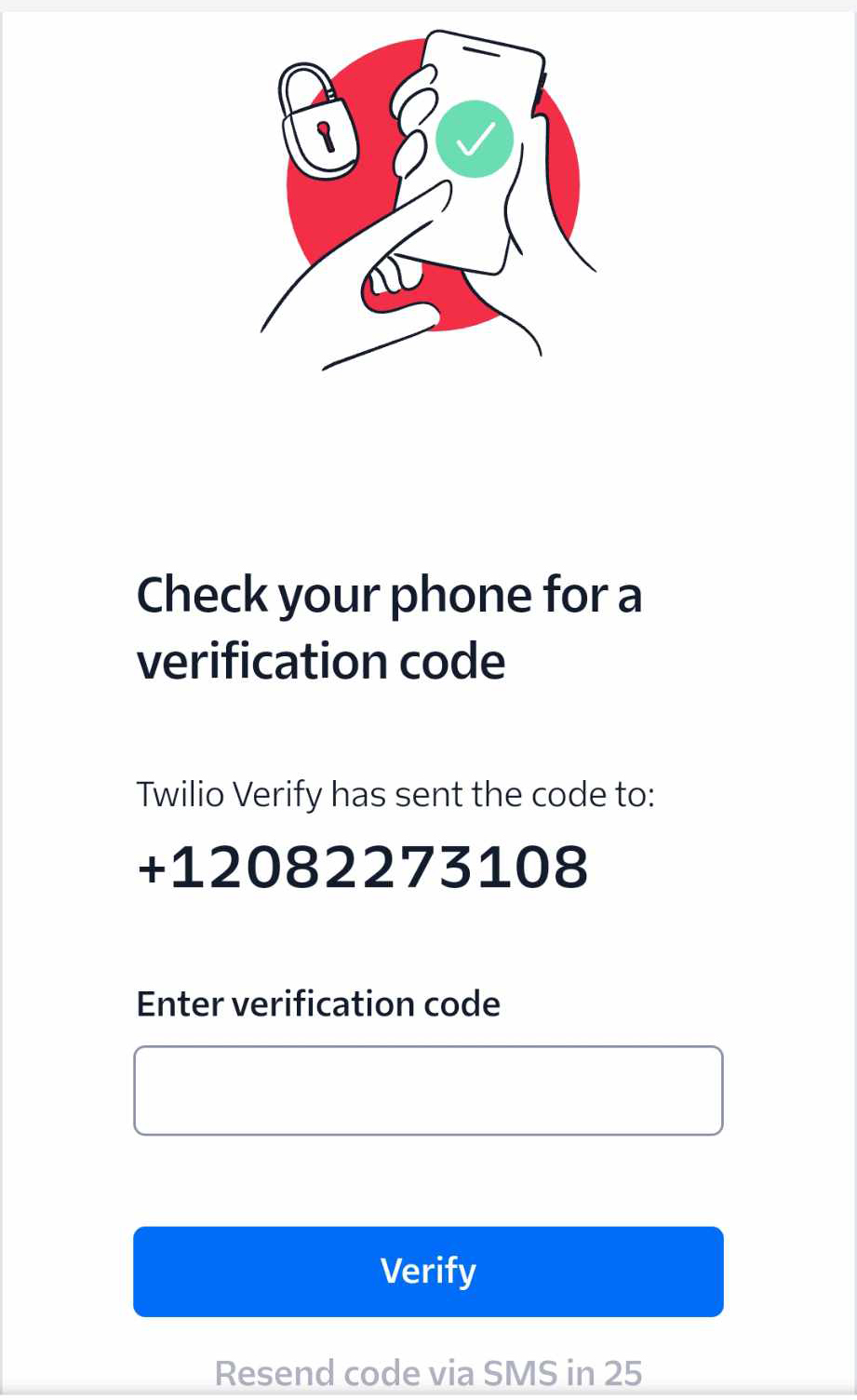
- After configuring your SMS order with SMSPool, the phone number for Twilio should be seen in the Twilio service, retrieve the phone number and enter it.
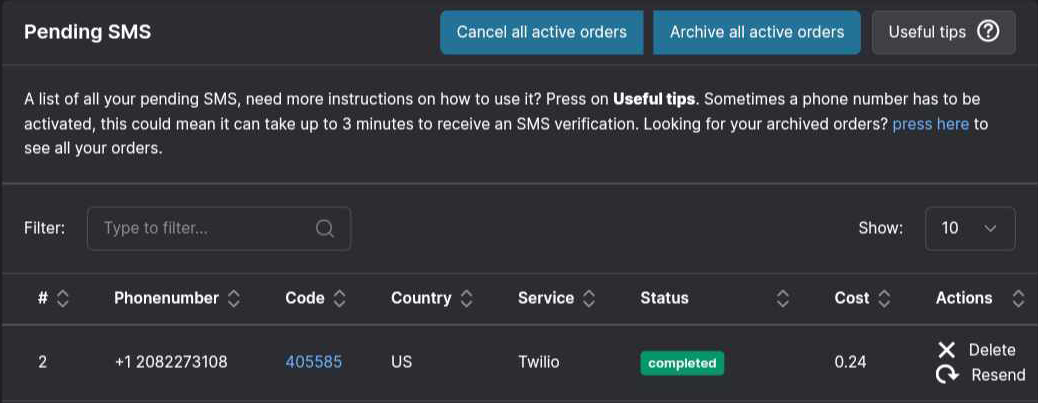
- The code is on your SMSPool Order page under the "Code" tab. Copy it and enter the Twilio SMS verification code.
- One thing to note: to verify your Twilio account, the code must be entered correctly. so we can avoid some issues in creating your Twilio account.
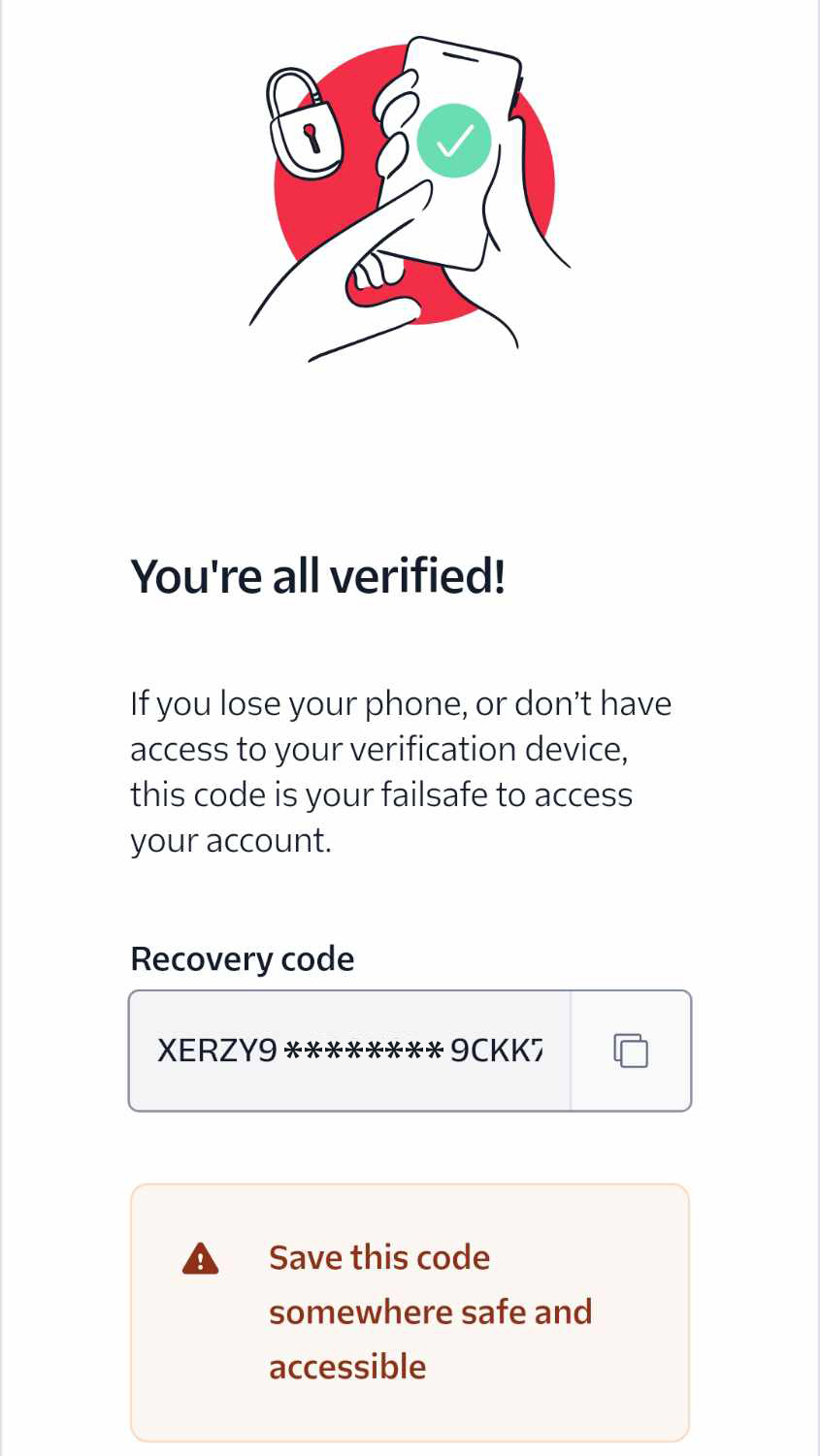
You are now a verified user on Twilio!
- If you have trouble remembering your password, copy the recovery code and save it somewhere you can access anytime and anywhere.
And now you're done! That was too easymaybe it took just 2 minutes!
Getting Started with Twilio
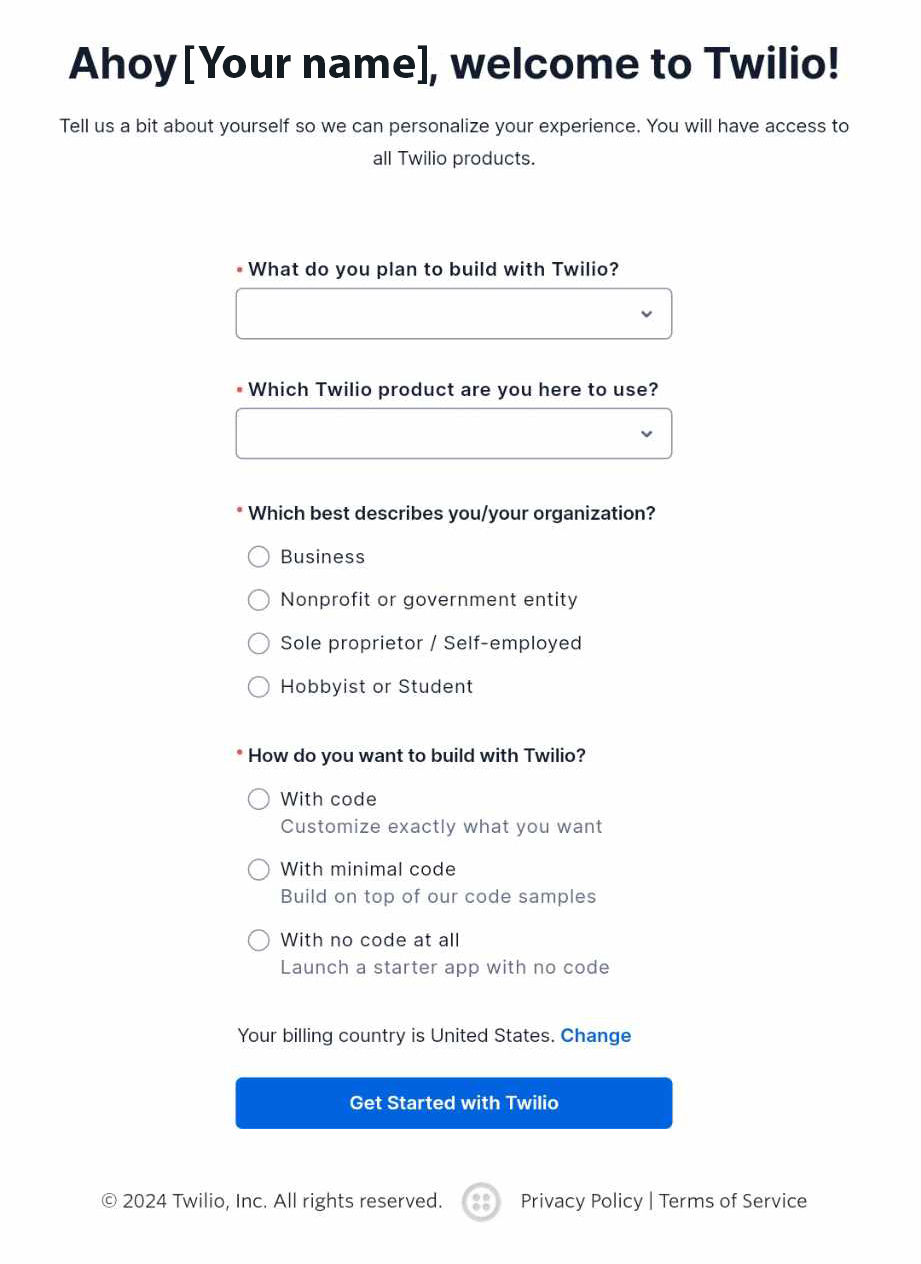
- To get started, you must fill in the necessary answers for each question shown in the screenshot below.
- What do you plan to build with Twilio?
- Which Twilio product are you here to use?
- Which best describes you /your organization?
- How do you want to build with Twilio?
Are you not comfortable paying for an SMS verification code yet? Feel free to test our free SMS verifications. Don't worryour paid services are exceptionally reliable and worth considering.
Did you not receive your code?
How odd! I thought it was a good tutorial with good results. If you have a problem receiving your code, let's solve that issue using the list I provided below. Make sure to follow the steps closely.
- Check your phone number; make sure you fill in your number correctly.
- Have you checked your internet connection? Ensure you are using a 4G proxy or connected to Wi-Fi with low ping.
- Make sure the number is based on where you're currently in; sometimes, it will not work. If the problem persists, use a VPN.
- Ensure you do not exit the Twilio site tab before even receiving the code from SMSPool.
- Make sure your browsers are up-to-date.
If the issue persists, open a ticket from your SMSPool account. Don't worry! We are quick to respond to your inquiries, no matter what.
Return to knowledgebaseAbout the author
SMSPool Admin
The owner of SMSPool.net, a site that originally started as a hobby but saw rapid expansion due to the high demand, loves anything technology related and loves writing about technology related articles.
www.smspool.netOther interesting articles
How to clear all Login Sessions on SMSPool
Step-by-step guide on how to clear all login sessions on SMSPool.
- By Admin
- January 22, 2026
How to get a Brandclub SMS verification
This guide shows you how to create a Brandclub account with our Brandclub SMS verification service.
- By Admin
- May 25, 2024
How to get an Airbnb SMS verification
This guide provides a step-by-step tutorial on creating an Airbnb account using our Airbnb SMS verification service.
- By Admin
- May 28, 2023
How to Unarchive numbers from Order History
Step-by-step tutorial on unarchiving phone numbers from your order history.
- By Admin
- January 2, 2026
How to get an Instagram SMS verification
A quick guide on how to register on Instagram using our Instagram SMS verification and the benefits of it
- By Admin
- May 28, 2023
How to get a Deliveroo SMS verification
Protect your Deliveroo account with smart phone number choices, exploring the benefits of temporary virtual numbers for enhanced privacy and security.
- By Admin
- February 4, 2024
How to access your SMSPool Settings
Step-by-step guide on how to access your SMSPool Settings
- By Admin
- January 16, 2026